
Simplify signing within your tools


No need to install additional software – start signing documents immediately.
Signing add-ons fit perfectly into all the tools you already use. You can sign your documents directly within your preferred applications. There is no need to export files, convert formats, or switch between platforms. You can keep everything in one place and be more productive.
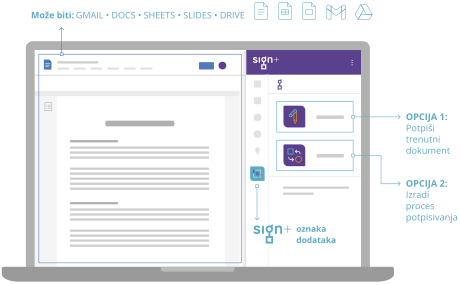
Enable document signing for one or more users directly within familiar productivity tools such as Gmail, Docs, Sheets, Slides, or Drive.


Stop switching between apps!
Sign+ add-ons integrate seamlessly with Google Workspace, allowing you to directly approve and sign documents within your familiar workspace. This ensures a smooth and efficient signing experience.
What is it?
It is an add-on that enables document signing by one or more users directly within familiar productivity tools such as Gmail, Docs, Sheets, Slides, or Drive.
It eliminates the need for exporting, converting to PDF, using a separate signing application, and re-uploading the document.

How to use it?
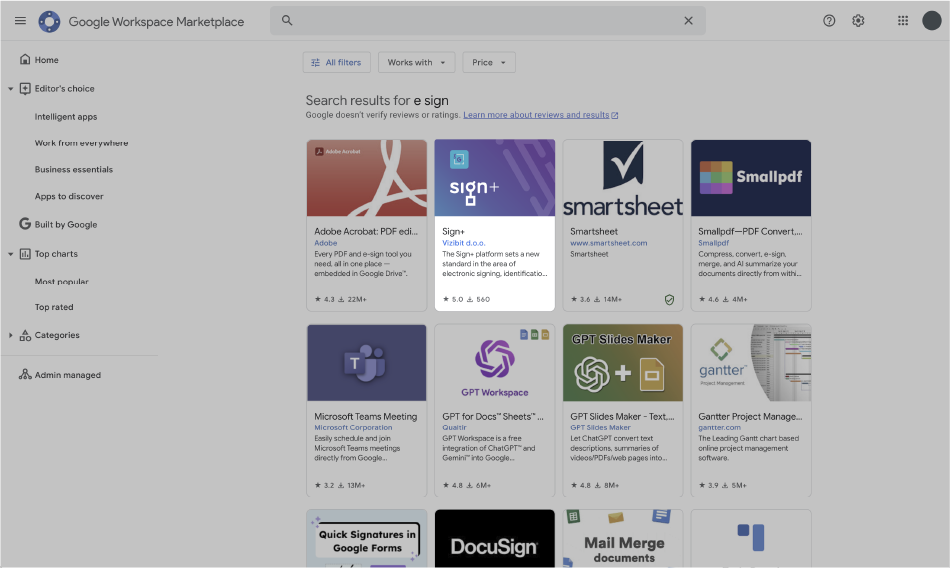
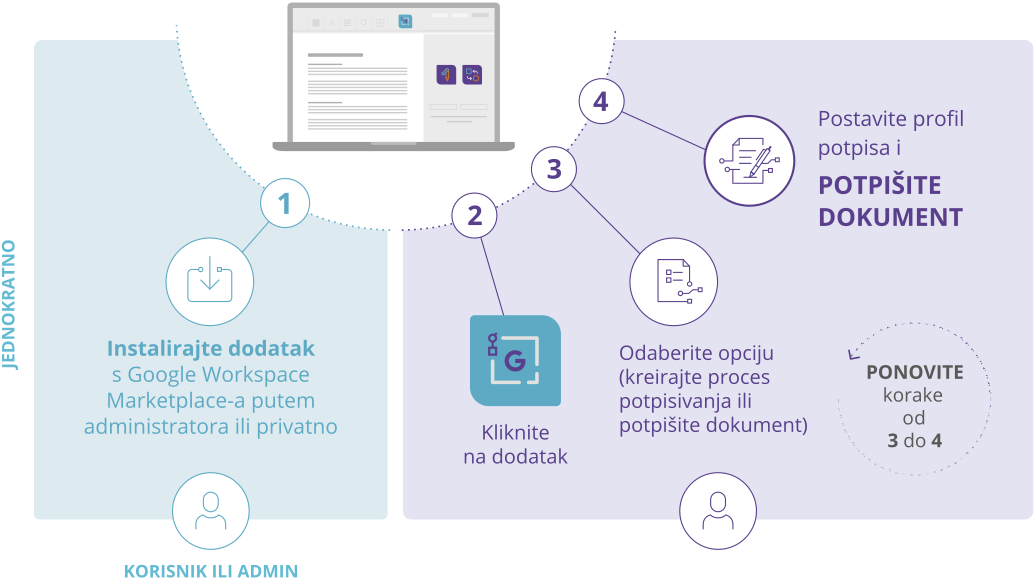
Companies and individuals can quickly and easily download this Add-in from the Google Marketplace.
For company-wide implementation, administrators can easily enable the feature across the entire organization.
Try itBest for customers who:
Have Google Workspace.
Want signing capabilities integrated into the tools they use every day.
Need fast integration of digital signatures into existing processes.
Want a fast and low-risk implementation.
Have minor or occasional signing needs.
How is it integrated into Google Workspace?
How to sign documents within Google Workspace

User or Admin
UPLOAD files
Upload PDF to signFLOWS
INVITE signers
Invite internal and external signatories
START
Start the approval process

Signer
SIGN
Signer/s receive mail with a link and sign the documents (internal manager, group member, partner, client…)
DOWNLOAD
– to DMS, eArchive
– send PDF attachment by email
Eliminate the need for exporting, converting to PDF, using a separate signing application, and re-uploading documents
It can be used by individuals or companies by downloading it from the Google Application Store. For company-wide implementation, administrators can easily enable the feature across the entire organization.
FAQ
Find additional information about our products and services
You need an active Google account, a modern web browser (such as Chrome, Edge, or Opera), the Sign+ Add-on installed, a modern device (PC, laptop, MacBook, Chromebook, or a mobile device with official Google apps), a digital identity (such as a digital signature), and sufficient credits in your wallet to sign documents.
Open your browser and log in to Gmail. Click the “+” button on the right side panel, search for “SignFlows,” click on the add-on, then click “Install” and follow the instructions.
Yes, you must top up your wallet with enough credits. The cost depends on the type of digital signature you choose.
Open the Sign+ Add-on from the Gmail side panel, select an email containing a document, and follow the instructions to sign or add a signature image.
In the Sign+ Add-on, select “Create Workflow,” choose the jurisdiction and signature level, add participants to the workflow in order, and press “Start.”
